



What is Xeno?
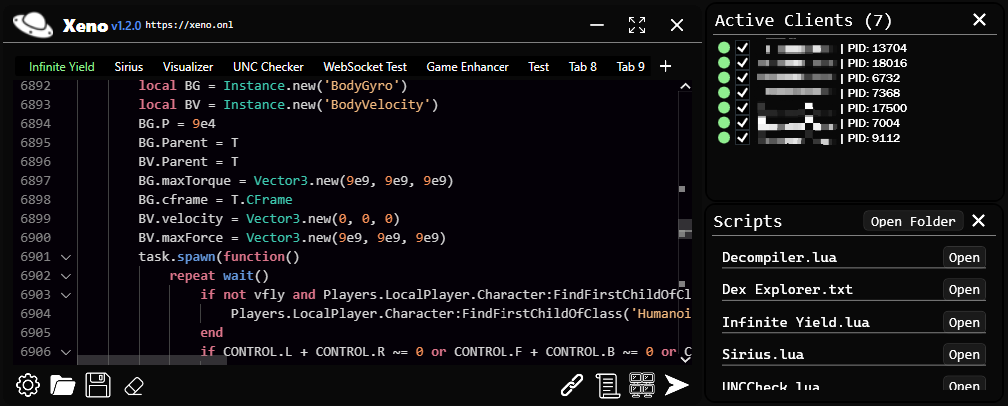
Xeno is a free external Roblox script executor for Windows. It lets you attach to the Roblox client, paste Lua scripts, and run them through a lightweight editor with script hub integration โ without keys or paid unlocks.
Xeno provides lightning-fast execution, external script support, and a simple interface - all completely free and keyless.
External Execution
Execute scripts externally with the keyless interface.

Lightning Fast Performance
Experience lightning fast script execution with the keyless tool.
100% Free & Keyless
No keys, no payments, no restrictions. Xeno is completely free to use and trusted by 1 014 232 users worldwide.
Users Worldwide
Join our growing community of users who trust and use Xeno daily.
Xeno is a free external Roblox script executor for Windows. It lets you attach to the Roblox client, paste Lua scripts, and run them through a lightweight editor with script hub integration โ without keys or paid unlocks.
Roblox patches often break older executors. If attach fails or scripts stop running, re-download the latest build from xeno.baby and follow the help tutorial for a clean reinstall.
Dedicated Xeno landing page for Blox Fruits โ features, attach guide, FAQs, and update tips.
Dedicated Xeno landing page for Adopt Me โ features, attach guide, FAQs, and update tips.
Dedicated Xeno landing page for Arsenal โ features, attach guide, FAQs, and update tips.
Dedicated Xeno landing page for BedWars โ features, attach guide, FAQs, and update tips.
Dedicated Xeno landing page for Murder Mystery 2 โ features, attach guide, FAQs, and update tips.
Dedicated Xeno landing page for Pet Simulator 99 โ features, attach guide, FAQs, and update tips.
Browse all 50+ game script pages โ ยท Read Xeno install & fix guides โ
Download Xeno only from the official website xeno.baby using the Download page. Third-party mirrors often ship outdated builds or modified installers.
Yes. Xeno is completely free with no keys, payments, or account required. The executor runs on Windows and supports external script execution.
Install Microsoft Visual C++ Redistributable (x64) and .NET Runtime if Windows prompts for dependencies. Then launch Roblox, attach Xeno, and execute your script.
Roblox updates frequently break inject on older builds. Download the latest Xeno from xeno.baby, reinstall to a clean folder, and attach again after the patch.